
Multifunction Copier, Color Printing, and Scanning Services in The Lakes
Print, Copy, and Scan Support for The Lakes Offices
Multifunction copier, color printing, and scanning support in The Lakes helps your west Las Vegas office get every feature of a modern machine working the way it should. A multifunction device is the hub of a busy office, and when its color, scanning, or document features fall short, the whole team feels it. Sunrise Office Systems has served Las Vegas businesses since 1995, and we help The Lakes offices set up, service, and get the most from their multifunction copiers and printers.
The Lakes sits in the west Las Vegas valley in Clark County, near Sahara Avenue and Durango Drive, close to Desert Shores and Peccole Ranch, where professional offices rely on clean color output and dependable scanning every day. To put a machine to work for your team, call 702.435.9600 or reach us through our contact page.
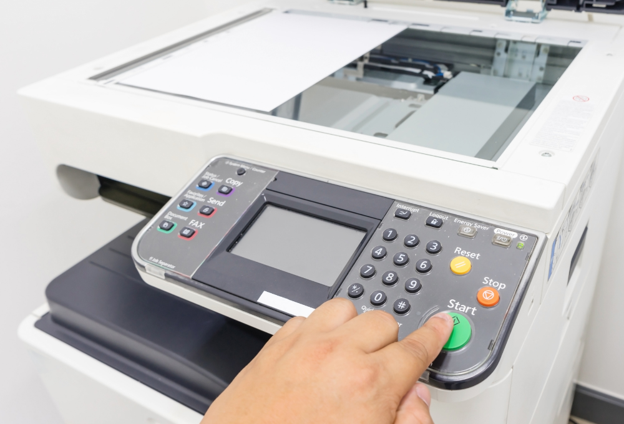
How Multifunction Copiers Handle Printing, Color, and Scanning
A multifunction copier combines printing, copying, scanning, and document handling in a single device, which is convenient until one of those systems drifts out of tune. Understanding how each function works makes service faster and helps your team get reliable results. Our technicians configure and support the full range of multifunction features that offices in The Lakes depend on:
- Color printing and calibration: color machines blend toner to reproduce your brand colors, and periodic calibration keeps output consistent instead of washed out or shifted.
- Scan to email, network, and USB: documents can be scanned straight to email, a network folder, a USB drive, or an FTP destination for fast digital filing and sharing.
- Black and white or color output: depending on the model, you can run high volume black and white work or vibrant color prints from the same device.
- Versatile paper handling: multifunction machines support common office sizes from letter up to larger formats, plus a bypass tray for card stock and specialty media.
- Document workflow features: duplex printing, sorting, and digital archiving help your team move paper less and find files faster.
When color looks off, scans will not reach their destination, or document features stop cooperating, we diagnose the specific function rather than treating the whole machine as a mystery, so you get back to work sooner.
For offices in The Lakes, this attention to detail shows up in everyday work. Sharp color makes proposals and marketing materials look professional, dependable scanning keeps your records organized and easy to retrieve, and a machine that handles every job means your team is not walking to a second device or sending work out. When your multifunction copier is configured correctly from the start, it quietly supports the whole office instead of becoming a daily source of frustration, and that is exactly the result we aim for on every visit.
How We Set Up and Support Your Machine, Step by Step
- We learn how your The Lakes office prints, copies, and scans, and which features matter most to your team.
- We recommend the right configuration, whether that is color, high volume, or advanced scanning.
- We install and configure scan destinations, color settings, and paper handling so the machine fits your workflow.
- We confirm everything works, from color output to scan to email, and make sure your staff can use it.
- We provide ongoing service so color stays calibrated and scanning keeps working as your needs change.
Resources to Get the Most From Your Machine
To keep output sharp, our guide on what causes poor print quality and how to fix it is a practical starting point. When you are selecting a machine, our advice on how to choose the right office copier for your workflow helps you match features to the way your team works, and to handle sensitive files safely, read how office copiers support secure document workflows.
Why The Lakes Businesses Choose Sunrise Office Systems
Getting every feature of a multifunction machine working takes know-how, and that is where hands-on experience pays off. Sunrise Office Systems is a family business that has worked with office machines since 1995, and we take the time to configure color, scanning, and document features so they actually serve your team rather than sit unused. Because we are local, support is quick and personal. You can see what west valley offices say on our reviews and testimonials page.
Frequently Asked Questions
Set Up Multifunction Support in The Lakes
Get full value from your office machine, from clean color to dependable scanning. Call 702.435.9600 to talk with our local team, or reach out through our contact page and we will get your equipment working the way it should.
