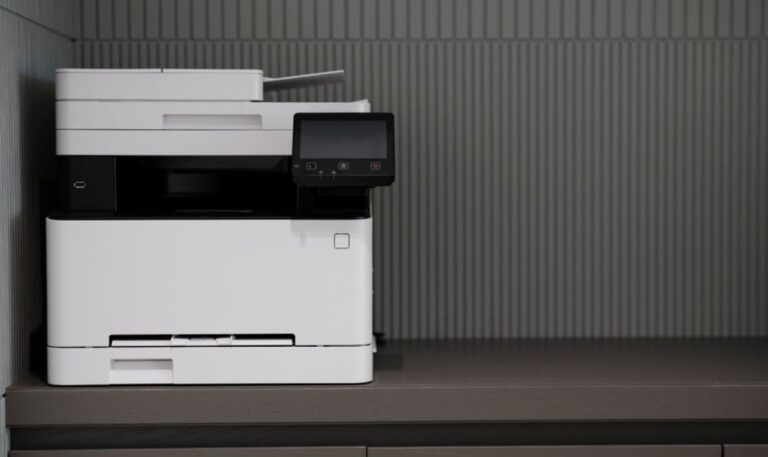
An office printer works hard every single day. It handles invoices, contracts, reports, and client documents without stopping. When maintenance gets ignored, performance drops, and breakdowns become frequent.
Many Las Vegas businesses only service their office printer after something goes wrong. That reactive approach leads to costly repairs and unexpected downtime. Regular maintenance prevents the most common issues before they affect your team or your clients.
In this blog, we will cover why printer maintenance matters, the risks of skipping it, and practical steps every Las Vegas workplace can follow. With the right routine, your office printer will stay reliable and productive all year long.
Why Office Printer Maintenance Matters
Consistent maintenance keeps your office printer performing at its best. It protects your investment, reduces costs, and supports smooth daily operations.
It Prevents Unexpected Breakdowns
Skipping maintenance allows small issues to grow into major failures. Worn rollers, dust buildup, and low supplies all lead to sudden breakdowns. Regular servicing catches these problems early. Offices that follow a scheduled maintenance program experience far fewer unexpected failures.
It Extends the Life of Your Equipment
Office printers are a significant investment for any business. Without proper care, components wear out faster than they should. Regular cleaning, part replacement, and servicing extend the operational life of every device. Well-maintained equipment delivers reliable performance for much longer.
It Keeps Print Quality Consistent
A neglected office printer produces faded, streaky, or smudged output over time. Poor print quality affects your professional image and wastes supplies on reprints. Consistent maintenance keeps every page sharp, clean, and presentable. Your documents reflect your business standards every time they leave the printer.
Maintaining your office printer regularly protects both your equipment and your team’s productivity. Businesses that invest in consistent equipment care avoid the majority of common printer problems before they start.
Common Risks of Skipping Office Printer Maintenance
Neglecting your office printer creates risks that grow worse over time. Understanding these risks helps Las Vegas businesses take maintenance more seriously.

Dust and debris accumulation inside the printer damages internal components gradually. Without regular cleaning, rollers, drums, and fusers wear out much faster than expected. Toner buildup causes streaks and smudges that affect every print job until the issue is properly addressed. Outdated firmware leaves your device vulnerable to performance issues and compatibility errors with connected computers. Overloading the printer without scheduled servicing puts excessive strain on mechanical parts, increasing the likelihood of sudden failures. Finally, using incompatible supplies like cheap toner cartridges causes long-term damage that reduces print quality and shortens equipment life.
Each of these risks is preventable with a simple, consistent maintenance routine. Offices that work with reliable service technicians stay ahead of these issues and keep their printers in top condition year-round.
Practical Office Printer Maintenance Tips
Keeping your office printer in good condition does not require major effort. These practical steps help busy Las Vegas workplaces maintain reliable performance every day.
Clean the Printer Interior Regularly
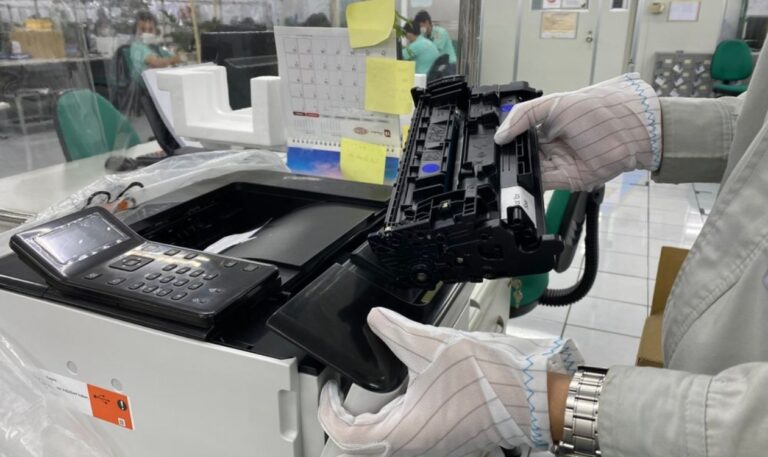
Dust and toner buildup inside the printer causes the most common print quality issues. Use a dry, lint-free cloth to clean accessible interior surfaces carefully. Pay special attention to the drum unit and paper feed rollers. Regular interior cleaning prevents streaks, jams, and premature component wear.
Monitor and Replace Supplies on Time
Low toner and worn cartridges affect print quality and cause mid-job failures. Check toner levels weekly and keep spare cartridges stocked at all times. Replace drums and fusers according to the manufacturer’s recommended page counts. Staying ahead of supply needs prevents downtime and keeps output consistent.
Update Firmware and Software Consistently
Outdated firmware causes performance issues, connectivity errors, and compatibility problems. Check for manufacturer firmware updates at least once every quarter. Update printer drivers on all connected computers at the same time. Keeping software current improves reliability and reduces error frequency across the office.
Schedule Professional Servicing Every Few Months
Basic in-house cleaning only goes so far. Professional servicing covers deep cleaning, worn part replacement, and full system checks. Schedule a professional visit every three to six months, depending on your print volume. Expert servicing catches issues that are invisible during routine daily use.
These steps cover the most important aspects of office printer maintenance for any busy workplace. For offices that need additional support, a dedicated care plan provides full coverage and peace of mind all year long.
How Sunrise Office Systems Supports Printer Maintenance
Sunrise Office Systems helps Las Vegas workplaces maintain their office printers through expert servicing and hands-on support. Our team performs thorough inspections on every device, checking internal components, toner levels, firmware versions, and mechanical wear. We identify issues early and resolve them before they affect your daily operations.
We handle everything from deep interior cleaning and part replacement to firmware updates and supply management. Our trained technicians come directly to your workplace, minimizing disruption and keeping your team focused on their work. Every service visit is designed to improve performance and extend the life of your equipment.
We also create customized maintenance schedules based on your office’s print volume, equipment type, and budget. No two offices are the same, and our support reflects that. Our goal is to keep every office printer running cleanly and consistently without interruption.
Give Your Office Printer the Care It Deserves
A well-maintained office printer keeps your business moving every single day. Skipping maintenance leads to breakdowns, poor print quality, and higher repair costs that affect your entire team. Proactive care is always the smarter and more cost-effective choice.
Sunrise Office Systems provides complete printer maintenance support for busy Las Vegas workplaces. From routine servicing and supply management to emergency repairs and firmware updates, our team handles everything your office needs. We keep your equipment performing at its best so your business never skips a beat.
Do not wait for a breakdown to take action. Contact our team today and set up a maintenance plan that keeps your office printer running all year long.